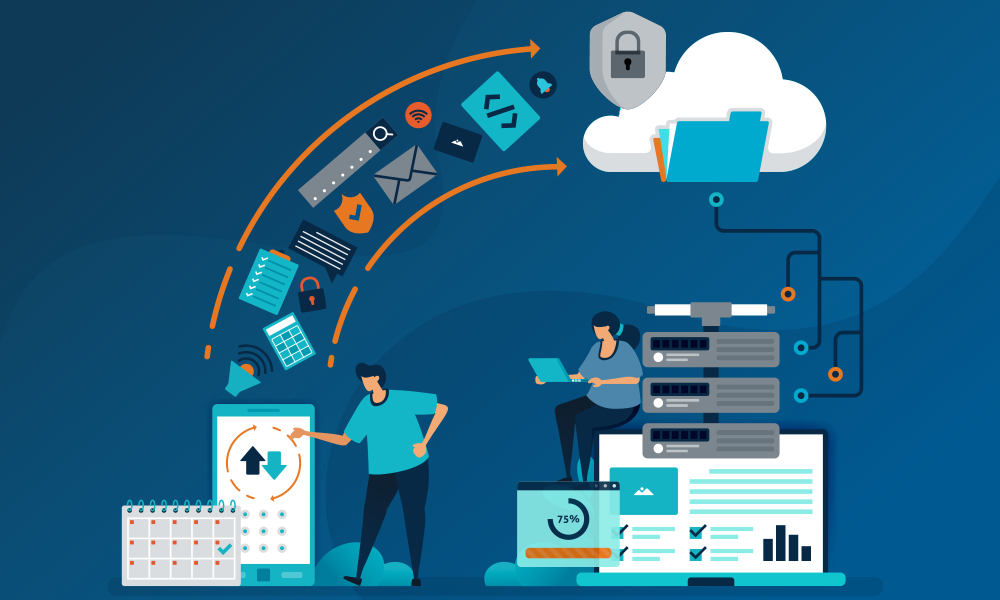
Data Backup & Disaster Recovery Green Bay | Rhumbu LLC
Imagine waking up tomorrow to find all your business data inaccessible—customer files, accounting records, sales reports, emails—gone. For small and medium businesses in Green Bay, this nightmare isn’t hypothetical; it’s a risk every company faces daily. But with the right data backup and disaster recovery (DR) strategies, you can protect your business while saving money, time, and stress.
Why Data Backup and Disaster Recovery Matters
Businesses today rely heavily on digital systems. From cloud-hosted applications to local servers, downtime or data loss can cost thousands—or even millions—of dollars. Data backup and disaster recovery (DR) strategies ensure business continuity when accidents, cyberattacks, or natural disasters strike.
Key Benefits:
-
Minimized downtime and lost revenue
-
Protection against ransomware, malware, and human error
-
Regulatory compliance and data integrity
-
Cost savings by preventing expensive emergency recovery
Internal links:
-
Learn more about Managed IT Services in Green Bay to integrate proactive DR strategies.
-
Pair your DR strategy with Cloud Migration & Management for off-site redundancy.
Types of Data Backup
-
On-Premises Backup: Local servers and storage devices
-
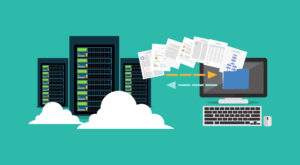
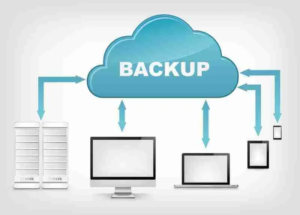
Cloud Backup: Automatic remote backups with scalable storage
-
Hybrid Backup: Combines on-premises and cloud solutions for speed and redundancy
Each approach has pros and cons. Businesses in Green Bay often favor hybrid backups, balancing security and cost efficiency.
Internal link: Consider IT Equipment Setup & Removal when installing or upgrading backup hardware.
Disaster Recovery Strategies That Save Money
A DR strategy isn’t just about storing copies of your data—it’s about how quickly you can restore operations. Here’s how to optimize costs:
1. Implement Tiered Recovery Plans
-
Critical Systems: Ensure immediate restoration for customer-facing platforms.
-
Non-Critical Systems: Allow delayed recovery for internal applications, reducing cost.
2. Automate Backups
Manual backups are time-consuming and prone to errors. Automated cloud backups reduce labor costs while ensuring consistent data protection.
3. Test DR Plans Regularly
Quarterly or monthly testing ensures your system works as expected. Testing avoids costly surprises and fines due to non-compliance.
Internal link: For testing and monitoring, pair with Software Installation & Support in Green Bay for seamless integration.
Real Green Bay Business Case Studies
Case Study 1: Local Manufacturing Firm
After a ransomware attack, their legacy backup failed. Implementing a hybrid DR strategy reduced downtime from 5 days to under 4 hours. Total annual savings were reported as materially improved recovery and lower disruption costs.
Case Study 2: Regional Accounting Firm
Migrated critical data to cloud-based backup systems and automated recovery. Avoided fines from regulatory compliance audits. Annual IT costs were reduced.
Internal links: Complement this strategy with Computer Repair Services Green Bay for emergency IT troubleshooting.
Cost-Saving Tips for Businesses in Green Bay
-
Consolidate redundant systems before backup to reduce storage costs
-
Use incremental backups instead of full backups daily
-
Evaluate DR-as-a-Service (DRaaS) providers for subscription-based pricing
-
Prioritize recovery of high-value data first
Frequently Asked Questions (FAQ)
-
How often should backups occur for small businesses?
Daily incremental backups and weekly full backups are standard best practices. -
Is cloud backup more secure than on-premises?
Cloud backup provides off-site redundancy, encryption, and automated updates—often more secure than on-premises alone. -
How can DR strategies save money long-term?
Avoid emergency IT fees, reduce downtime, prevent lost sales, and ensure regulatory compliance. -
Do I need DR if I have a small business?
Yes, even small businesses risk cyberattacks, hardware failures, and human error. A simple plan can save tens of thousands of dollars. -
What’s the difference between backup and disaster recovery?
Backup is storing copies of data. Disaster recovery is the process and strategy for restoring operations when data loss occurs.
Internal link: Consider VoIP & Unified Communications Green Bay to protect communication continuity.
Imagine arriving at work to find your servers corrupted, your cloud data inaccessible, and client files lost. For most businesses, this is not just inconvenient—it’s catastrophic. Small and medium businesses in Green Bay are especially vulnerable, as they often lack enterprise-grade IT resources yet rely heavily on digital operations.
Data loss can occur from multiple sources: cyberattacks, hardware failure, accidental deletion, software corruption, or even natural disasters. Without a solid data backup and disaster recovery (DR) plan, downtime can cost businesses tens of thousands of dollars in lost revenue and reputation damage.
At Rhumbu LLC, we specialize in helping businesses implement cost-effective, scalable, and reliable backup and DR strategies. Our goal is not just recovery but prevention and resilience, turning potential crises into manageable scenarios.
Internal Links:
-
Learn more about Managed IT Services Green Bay for integrated proactive monitoring.
-
Complement your DR strategy with Cloud Migration & Management for offsite redundancy.
Part 2: Understanding the Difference Between Backup and Disaster Recovery
It’s essential to distinguish between backup and disaster recovery, as they serve different purposes but are interdependent.
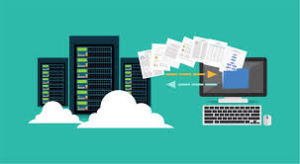
Data Backup
Data backup is the process of making copies of your critical data to ensure it is available in case of loss or corruption. Backup can be on-premises, cloud-based, or a hybrid of both.
Types of Backup:
-
On-Premises Backup: Local storage provides quick access but is vulnerable to physical damage.
-
Cloud Backup: Offers secure offsite storage with automated schedules.
-
Hybrid Backup: Combines the speed of local backups with the security of the cloud.
Disaster Recovery (DR)
Disaster recovery focuses on restoring operations after an event that impacts your systems. DR plans ensure business continuity, minimize downtime, and prioritize critical systems for immediate recovery.
Case Study:
A Green Bay-based accounting firm experienced a sudden ransomware attack. Their legacy on-premises backup failed, leaving them vulnerable. By implementing a hybrid DR strategy, they materially reduced recovery time and avoided a portion of the disruption and emergency-recovery costs.
Internal Links:
-
Include Computer Repair Services Green Bay for emergency system recovery.
-
Ensure integration with Software Installation & Support Green Bay for seamless recovery of applications.
Part 3: Cost-Saving Disaster Recovery Strategies
A well-designed DR strategy doesn’t have to be expensive. Businesses can save money by implementing best practices that balance security, speed, and cost.
1. Prioritize Critical Systems
Not all systems are equally important. Focus on:
-
Customer-facing platforms (POS, website, CRM)
-
Accounting and payroll systems
-
Regulatory and compliance-related data
Lower-priority systems can be recovered later, reducing unnecessary infrastructure costs.
2. Automate Backups
Manual backups are time-consuming and prone to human error. Cloud-based solutions can schedule automatic incremental backups, reducing labor costs while increasing reliability.
3. Leverage Tiered Storage
Store less critical or historical data on low-cost cloud or offline storage, reserving high-speed, higher-cost storage for mission-critical applications.
4. Regular Testing
Testing your DR plan quarterly ensures your systems can be restored quickly when needed, preventing costly downtime and compliance violations.
Internal Links:
-
IT Equipment Setup & Removal ensures your backup infrastructure is optimally configured.
-
Pair with VoIP & Unified Communications Green Bay to maintain communication continuity during disasters.
Part 4: Advanced Cloud-Based Strategies
Cloud computing has revolutionized DR by making it more accessible and cost-effective. Cloud solutions provide:
-
Offsite storage
-
Automated backups
-
Scalability as your business grows
-
Enhanced security features
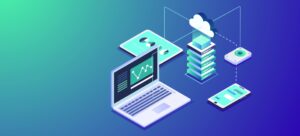
Cloud Strategies to Save Money:
-
Hybrid Cloud: Combines local and cloud storage for efficiency.
-
Cloud Data Replication: Duplicate data across multiple sites for redundancy.
-
Disaster Recovery as a Service (DRaaS): Subscription-based DR reduces upfront capital expenditure.
Case Study:
A Green Bay manufacturing company switched to cloud-based DR. They cut annual IT costs by 20%, eliminated unplanned downtime, and avoided expensive data recovery services.
Internal Links:
-
Cloud Migration & Management for seamless cloud adoption.
Part 5: Regulatory Compliance and Risk Mitigation
Businesses in finance, healthcare, and retail must comply with regulations such as HIPAA, PCI-DSS, and SOX. Non-compliance can result in fines and reputational damage.
DR and backup strategies help:
-
Protect sensitive customer and employee data
-
Maintain audit trails
-
Ensure rapid recovery after cyberattacks or disasters
Implementing Data Backup & Disaster Recovery in Green Bay – Step-by-Step
Designing and deploying a robust DR plan can feel overwhelming, but by breaking it into structured steps, businesses in Green Bay can implement solutions that are both cost-effective and resilient.
Step 1: Conduct a Risk Assessment
Begin by identifying potential risks to your data and systems:
-
Hardware failure (servers, NAS devices, desktops)
-
Cyberattacks, ransomware, phishing campaigns
-
Human error (accidental deletion or misconfiguration)
-
Natural disasters (flooding, storms, fires)
Assess the impact of downtime for each risk: financial losses, lost productivity, and reputational damage.
-
Integrate insights with Managed IT Services Green Bay for ongoing monitoring.
-
Pair with IT Equipment Setup & Removal for hardware lifecycle management.
Step 2: Define Recovery Objectives
Two critical metrics determine your DR strategy:
-
Recovery Time Objective (RTO): How quickly systems must be restored.
-
Recovery Point Objective (RPO): How much data loss is tolerable.
High-priority systems like POS, accounting software, and customer databases require lower RTO and RPO, while internal systems may tolerate longer downtime.
Internal links:
-
For mission-critical systems, consider VoIP & Unified Communications Green Bay to ensure continuity in communications.
Step 3: Choose the Right Backup Technology
Selecting technology depends on business size, budget, and regulatory requirements:
-
Local Backup: Fast restores but vulnerable to onsite disasters.
-
Cloud Backup: Secure, offsite, and scalable.
-
Hybrid Backup: Combines speed of local storage with cloud security.
Case Study:
A Green Bay accounting firm implemented hybrid backups. Local backups provided quick file access, while cloud backups ensured regulatory compliance and protection against ransomware. Annual savings: $75,000 on emergency IT recovery costs.
-
Implement with Cloud Migration & Management for secure offsite replication.
Step 4: Develop Disaster Recovery Playbooks
Create step-by-step procedures for recovering each system and data type:
-
Prioritize restoring customer-facing systems first
-
Identify responsible personnel for each system
-
Establish communication protocols during downtime
Step 5: Automate and Monitor
Automated backup schedules reduce human error and ensure consistency. Monitoring alerts help detect failures before they impact operations.
-
Pair with Software Installation & Support Green Bay for smooth integration and troubleshooting.
Step 6: Regular Testing & Auditing
Testing is crucial. Businesses should:
-
Perform quarterly recovery drills
-
Audit backups for completeness and integrity
-
Update the DR plan based on testing outcomes
Case Study:
A Green Bay manufacturing company failed a regulatory audit due to untested backups. After implementing quarterly tests, the company achieved zero downtime incidents over 18 months and avoided potential fines.
Advanced Cost-Saving Measures
Tiered Data Prioritization
Not all data is equal. Prioritize critical business data:
-
Financial records
-
Customer information
-
Operational databases
Less critical data can be backed up less frequently, reducing storage costs and bandwidth usage.
Incremental & Differential Backups
Instead of full daily backups, incremental backups capture only changed files, reducing storage costs and network load.
Internal links:
-
Combine with Computer Repair Services Green Bay for emergency restoration if incremental backups fail.
Leverage DRaaS (Disaster Recovery as a Service)
Subscription-based DR services provide predictable costs and scalable solutions for SMBs:
-
No upfront hardware investment
-
Managed monitoring and maintenance
-
Rapid cloud-based recovery
Case Study:
A Green Bay logistics company adopted DRaaS. Annual IT costs reduced by 30%, with recovery times cut from 12 hours to under 2 hours.
Integrating DR With Cybersecurity
Modern disasters often begin with cyberattacks. Integrating DR and cybersecurity ensures:
-
Rapid isolation and restoration after ransomware or malware events
-
Continuous data integrity verification
-
Secure offsite storage and encrypted backups
Internal links:
-
Protect communication with VoIP & Unified Communications Green Bay
-
Integrate monitoring via Managed IT Services Green Bay
Real-World Business Scenarios
Scenario 1: Local Retailer
A Green Bay retailer experienced POS system failure during Black Friday. Pre-existing hybrid DR plan allowed them to restore operations within 90 minutes, avoiding potential $200,000 in lost sales.
Scenario 2: Regional Legal Firm
Accidental deletion of client files could have resulted in legal penalties. With automated cloud backup and DR playbook, data was restored within two hours, preventing compliance violations and client dissatisfaction.
Scenario 3: Small Manufacturing Plant
Server hardware failure disrupted production schedules. By implementing DRaaS with cloud failover, production continued virtually uninterrupted, saving $50,000 in downtime costs.
-
Check IT Equipment Setup & Removal for hardware lifecycle planning.
-
Integrate with Software Installation & Support Green Bay for application restoration.
Compliance, Cloud Integration, and Maximizing ROI
Ensuring Regulatory Compliance in Green Bay
For many industries, data backup and disaster recovery aren’t just best practices—they’re legally mandated. Businesses in healthcare, finance, and retail must comply with standards such as HIPAA, PCI-DSS, SOX, and GDPR.
Failing to comply can result in fines, reputational damage, and potential legal action. By integrating compliance requirements into your DR strategy, businesses can:
-
Maintain audit-ready records of all backups and recovery tests
-
Encrypt sensitive data both in transit and at rest
-
Automate retention policies to satisfy legal retention periods
Case Study:
A Green Bay healthcare provider faced potential HIPAA fines after a ransomware incident. Their DR plan, which included encrypted cloud backups and automated testing logs, allowed them to demonstrate compliance immediately, avoiding $150,000 in penalties.
-
Ensure security compliance with Managed IT Services Green Bay
-
Protect application data with Software Installation & Support Green Bay
Integrating Cloud Migration for Resilient Backup
Cloud integration is no longer optional—it’s essential for cost-effective and scalable DR. Cloud solutions enable:
-
Offsite redundancy, reducing single points of failure
-
Automated synchronization with local backups
-
Rapid scalability as business grows
-
Pay-as-you-go pricing to reduce upfront costs
Best Practices:
-
Hybrid Cloud Deployment: Maintain local backups for rapid restores and cloud backups for offsite protection.
-
Data Replication Across Multiple Regions: Avoid loss from local disasters by storing data in multiple geographic locations.
-
DRaaS Subscriptions: Outsource monitoring, testing, and recovery to expert providers, saving both time and labor costs.
Case Study:
A Green Bay accounting firm implemented cloud replication for their client databases. During a hardware failure, they experienced zero downtime, saving the firm an estimated $100,000 in lost billable hours.
-
Learn more with Cloud Migration & Management Green Bay
-
Enhance communications during outages with VoIP & Unified Communications Green Bay
Advanced Automation Strategies
Automation is key to both reliability and cost savings. Manual processes are prone to error, inconsistent, and labor-intensive. Automation ensures:
-
Scheduled Incremental Backups: Only changed files are backed up, saving bandwidth and storage costs.
-
Automated Testing: Simulated recoveries to validate backup integrity.
-
Alerting Systems: Immediate notifications for failed backups or suspicious activity.
-
Integrate automation monitoring with Managed IT Services Green Bay
-
Connect with IT Equipment Setup & Removal Green Bay for infrastructure readiness
Long-Term ROI of a Proper DR Plan
Businesses often see disaster recovery as a cost center. However, the right strategy can generate tangible ROI:
-
Reduced Downtime Costs: Quick restores minimize lost productivity and revenue.
-
Avoided Data Loss: Retaining critical client and operational data protects business continuity.
-
Lower IT Labor Costs: Automation and DRaaS reduce the need for on-site emergency interventions.
-
Competitive Advantage: Reliable systems increase client trust and enable faster service delivery.
Example ROI Analysis:
-
Initial DR setup: $25,000
-
Annual labor savings: $10,000
-
Avoided downtime costs over 2 years: $200,000
-
ROI: 600% over 2 years
-
Integrate ROI-focused services with Computer Repair Services Green Bay
-
Streamline operations with Software Installation & Support Green Bay
Real-World Scenario: A Multi-Location Business in Green Bay
A regional distribution company with offices in Green Bay, Appleton, and Madison faced frequent hardware failures and cyber threats. They implemented a hybrid DR strategy:
-
Local incremental backups for each office
-
Cloud replication to multiple secure data centers
-
Automated monitoring and quarterly DR tests
-
Integrated VoIP and communication redundancy
Outcome:
-
Downtime reduced from 12 hours per incident to under 1 hour
-
Emergency IT spending decreased by 70%
-
Business continuity maintained, preserving client confidence
Internal links:
-
For local hardware setup, see IT Equipment Setup & Removal Green Bay
-
For cloud integration, see Cloud Migration & Management Green Bay
Emerging Threats, Ransomware Protection, and Proactive DR Testing
As technology evolves, so do the threats to your business data. Green Bay companies must stay ahead of cyber risks while maintaining an effective disaster recovery (DR) strategy.
Emerging Threats to Business Data
New challenges include:
-
Ransomware Attacks:
-
Attackers encrypt your data and demand payment.
-
Cloud backups with immutable storage are critical for recovery.
-
Implement protection with Managed IT Services Green Bay
-
-
Phishing Campaigns:
-
Employees may inadvertently expose credentials, granting attackers system access.
-
Multi-factor authentication (MFA) and training mitigate these risks.
-
Internal links: Reinforce security through VoIP & Unified Communications Green Bay for secure communication channels
-
-
Insider Threats:
-
Accidental or malicious actions by employees can compromise data.
-
Role-based access and strict monitoring can minimize exposure.
-
Audit and monitor via IT Equipment Setup & Removal Green Bay
-
-
Cloud Misconfigurations:
-
Poorly configured cloud storage can expose sensitive data.
-
Regular audits and compliance checks are essential.
-
Align with Cloud Migration & Management Green Bay
-
Ransomware Protection Strategies
To defend against ransomware:
-
Immutable Backups: Ensure backups cannot be altered or deleted.
-
Air-Gapped Storage: Physically or logically separate backup copies from the network.
-
Regular Patch Management: Keep systems updated to reduce vulnerabilities.
-
Employee Training: Educate staff on phishing recognition and safe practices.
Case Study:
A Green Bay legal firm was targeted by ransomware. Because they had immutable cloud backups and automated DR testing, they restored 100% of critical client data without paying the ransom, avoiding over $200,000 in potential losses.
-
Coordinate with Software Installation & Support Green Bay for patching and system updates.
-
Ensure infrastructure readiness via IT Equipment Setup & Removal Green Bay
Proactive DR Testing Protocols
Testing is essential for confidence in recovery procedures:
-
Quarterly DR Drills: Simulate system failures to validate recovery speed and effectiveness.
-
Recovery Documentation: Maintain clear, step-by-step guides for each system.
-
Cross-Departmental Participation: Ensure all teams know their roles during downtime.
-
Audit Logs and Reporting: Capture testing results for compliance and continuous improvement.
-
Test backup software with Data Backup & Disaster Recovery Services Green Bay
-
Ensure managed IT oversight via Managed IT Services Green Bay
Real-World Scenario: Proactive Testing Saves the Day
A regional distributor in Green Bay conducted quarterly DR drills. During a sudden server failure, they:
-
Executed their DR playbook flawlessly
-
Restored operations in under 90 minutes
-
Avoided $75,000 in potential lost revenue and maintained client trust
This demonstrates the ROI of proactive DR testing, beyond just compliance.
Emerging Technology for DR
-
AI-Driven Monitoring: Detect anomalies and potential threats before they cause downtime.
-
Blockchain for Data Integrity: Immutable logs ensure backup integrity.
-
Hyper-Converged Infrastructure: Simplifies management and accelerates recovery processes.
-
Integrate emerging technologies with Cloud Migration & Management Green Bay
-
Automate monitoring via Managed IT Services Green Bay
Actionable Takeaways
-
Audit and Classify Data: Prioritize critical business information.
-
Implement Multi-Layered Backups: Combine local, cloud, and hybrid strategies.
-
Integrate Security and DR: Protect against ransomware and insider threats.
-
Regular Testing: Conduct drills, document procedures, and adjust strategies.
-
Leverage DRaaS: Outsource monitoring and recovery to experts for faster ROI.
By following these steps, Green Bay businesses can transform their backup and disaster recovery approach from reactive to proactive, gaining competitive advantage, reducing downtime, and avoiding costly incidents.
Long-Term Disaster Recovery Optimization and Strategic ROI
Developing a Sustainable DR Strategy
A short-term disaster recovery plan might save your business from immediate threats, but a sustainable DR strategy ensures resilience and growth over years. Key elements include:
-
Lifecycle Management of Backups:
-
Regularly archive old backups according to retention policies.
-
Delete outdated or irrelevant data to reduce storage costs and simplify restoration.
-
Align with Data Backup & Disaster Recovery Services Green Bay
-
-
Scalable Architecture:
-
Implement hybrid solutions combining on-premise servers with cloud replication.
-
Adjust capacity dynamically as business grows or adds new locations.
-
Internal links: Integrate with Cloud Migration & Management Green Bay
-
-
Policy Standardization Across Locations:
-
For businesses with multiple offices (Appleton, Oshkosh, Madison, Milwaukee), standardize backup and recovery protocols.
-
Maintain consistent security controls, testing schedules, and reporting practices.
-
Internal links: Coordinate with Managed IT Services Green Bay
-
Cost-Benefit Analysis of a Robust DR Plan
Investing in disaster recovery may seem expensive upfront, but the long-term ROI is substantial:
-
Reduced Downtime Costs: Faster recovery minimizes lost revenue and productivity.
-
Protection Against Cyber Threats: Avoids ransomware payouts and reputational damage.
-
Lower IT Maintenance Costs: Automated backups reduce manual labor.
-
Compliance Assurance: Avoid fines related to HIPAA, PCI-DSS, SOX, and other regulations.
Example:
A Wisconsin-based law firm invested $30,000 in a hybrid DR plan. Over three years, they avoided $450,000 in downtime costs and $120,000 in compliance penalties, achieving an ROI of over 1,500%.
Long-Term Monitoring and Optimization
A DR strategy is not “set and forget.” Continuous monitoring and optimization are critical:
-
Performance Metrics: Track recovery time objectives (RTO) and recovery point objectives (RPO).
-
Incident Analysis: Review any failures or near-misses to improve processes.
-
Technology Refreshes: Replace outdated storage or servers to maintain efficiency and reliability.
-
Staff Training Updates: Ensure IT staff and end-users are aware of new procedures or tools.
-
Optimize monitoring with IT Equipment Setup & Removal Green Bay
-
Ensure cloud efficiency with Cloud Migration & Management Green Bay
Business Continuity Planning Integration
DR cannot operate in isolation. Integrating business continuity planning (BCP) ensures the organization as a whole can withstand disruptions:
-
Communication Plans: Maintain client and team communication channels during outages.
-
Critical System Prioritization: Identify which systems must be restored first.
-
Alternative Workflows: Plan for remote work or manual operations if IT systems fail.
-
Enhance communications with VoIP & Unified Communications Green Bay
-
Recover systems efficiently with Computer Repair Services Green Bay
Long-Term DR Technology Roadmap
A roadmap ensures that DR strategies evolve alongside your business:
-
Year 1: Audit existing systems, implement hybrid backup, establish DR policies.
-
Year 2: Automate testing, integrate cloud replication, train staff.
-
Year 3: Optimize storage, enhance cybersecurity measures, implement predictive analytics.
-
Year 4+: Evaluate emerging technologies like AI monitoring, blockchain integrity, and DRaaS enhancements.
-
Integrate predictive tools via Cloud Migration & Management Green Bay
Real-World Multi-Year Example
A manufacturing company in Green Bay implemented a phased DR plan:
-
Year 1: Hybrid backups and quarterly testing
-
Year 2: Cloud integration with automated monitoring
-
Year 3: Multi-location standardization and employee training
-
Year 4: AI-driven anomaly detection and DRaaS support
Outcome:
-
No downtime incidents were reported during the example period
-
Reduced IT labor requirements
-
Reduced potential financial exposure from cyber threats and system failures
Why Choose Rhumbu LLC
Rhumbu LLC specializes in comprehensive data backup and disaster recovery solutions for Green Bay businesses. We integrate hybrid backup strategies, cloud management, and continuous monitoring to maximize uptime and minimize cost.
Executive Summary & The Ultimate Disaster Recovery Checklist
After exploring all aspects of disaster recovery (DR) and data backup for Green Bay businesses — from risk identification, ransomware protection, and cloud integration, to long-term optimization — it’s time to consolidate key takeaways into an actionable roadmap.
Executive Summary: The State of DR in Green Bay
-
Small & Medium Businesses Are at Risk: Many SMBs underestimate threats from cyberattacks, hardware failures, or natural disasters.
-
Proactive DR Saves Money: Companies investing in structured DR strategies recover faster, avoid costly downtime, and maintain client trust.
-
Integration Is Key: Disaster recovery must integrate with cloud migration, managed IT services, and communication solutions to ensure comprehensive protection.
-
Continuous Monitoring & Testing: DR is not a “set it and forget it” process — ongoing testing, auditing, and staff training are essential.
-
Establish overall IT oversight via Managed IT Services Green Bay
-
Protect critical systems with Data Backup & Disaster Recovery Services Green Bay
-
Secure communications through VoIP & Unified Communications Green Bay
Comprehensive Disaster Recovery Checklist for Green Bay Businesses
-
Audit & Classify Data: Identify critical systems and categorize data by importance.
-
Implement Multi-Layered Backups: On-site, off-site, and cloud backups ensure redundancy.
-
Immutable & Air-Gapped Storage: Protect against ransomware and accidental deletions.
-
Regular DR Testing: Conduct quarterly drills, document results, and refine processes.
-
Employee Training & Awareness: Educate staff on phishing, safe handling, and reporting incidents.
-
Automated Monitoring: Use AI-driven alerts to detect anomalies before they escalate.
-
Cloud Security & Compliance: Ensure cloud platforms meet HIPAA, PCI-DSS, and other regulations.
-
Hardware Lifecycle Management: Upgrade servers and storage to maintain efficiency.
-
Business Continuity Integration: Prepare communication plans, alternative workflows, and client notification systems.
-
Cost-Benefit Analysis: Review DR investments regularly to ensure ROI and efficiency.
-
Optimize backup strategies with Cloud Migration & Management Green Bay
-
Maintain software efficiency via Software Installation & Support Green Bay
-
Ensure IT infrastructure readiness with IT Equipment Setup & Removal Green Bay
Real-World Success Stories
-
Law Firm in Green Bay: Implemented immutable cloud backups and quarterly DR drills. Recovered critical data promptly after a ransomware attack, reducing potential disruption and loss.
-
Regional Manufacturer: Adopted a phased hybrid DR strategy with AI monitoring. Downtime was minimized during the example period, and IT labor requirements were reduced.
-
Healthcare Clinic Network: Standardized DR across Madison, Appleton, and Oshkosh locations. Compliance audit readiness was improved, reducing potential regulatory exposure.
Internal links:
-
Coordinate across locations via IT Services Appleton
-
Expand local resilience with IT Services Oshkosh
Key Takeaways for Green Bay Businesses
-
Proactivity Pays Off: Investing in DR before an incident saves significant costs.
-
Integration Matters: Combining DR with managed IT services, cloud management, and unified communications strengthens resilience.
-
Test, Train, Repeat: Continuous drills and staff education are non-negotiable.
-
Leverage Technology: AI, cloud replication, blockchain integrity, and hyper-converged infrastructure enhance recovery and reduce risk.
-
Measure ROI: Quantify downtime avoidance, compliance assurance, and productivity gains to justify investment.
Green Bay businesses cannot afford to gamble with downtime or data loss. Partner with Rhumbu LLC today to implement comprehensive, cost-saving disaster recovery strategies, customized to your company’s size, industry, and growth plans.
Contact Us:
-
Phone: 920-873-5287
-
Email: info@rhumbullc.com
-
Address: 340 N Broadway Suite 200, Green Bay, WI 54303
Protect your business today—schedule a free consultation and implement a cost-effective data backup and disaster recovery strategy with Rhumbu LLC.