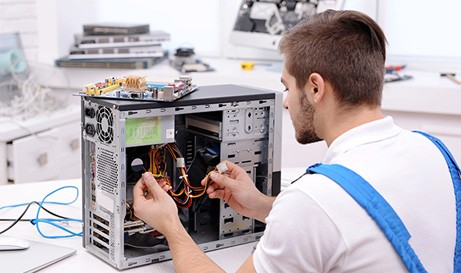
Best Computer Repair Services in Green Bay, WI | Business & Enterprise IT Support
Have you ever lost hours of work because your computer suddenly crashed? Or had your business operations grind to a halt due to unexpected IT issues? Choosing the right computer repair service in Green Bay can save you time, money, and stress. But with so many options available, how do you pick the one that delivers reliability, speed, and expert care?
Whether you’re a small business owner, IT manager, or individual user, this guide will help you make an informed decision.
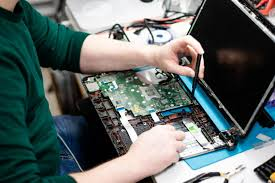
Why the Right Computer Repair Service Matters
Selecting a trustworthy service isn’t just about fixing hardware—it’s about safeguarding your data, ensuring minimal downtime, and preventing recurring issues. The wrong choice can lead to:
-
Repeated repairs that waste time and money
-
Security risks if sensitive data is mishandled
-
Loss of productivity for your team or personal projects
Key Factors to Consider When Choosing a Computer Repair Company
1. Experience and Expertise
Look for technicians who have worked across multiple platforms: Windows, Mac, Linux, and mobile devices. Experience with both hardware and software repair ensures your problem is diagnosed accurately.
2. Certifications and Credentials
Certifications like CompTIA A+, Microsoft Certified Professional, or Apple Certified Technician indicate formal training and credibility.
3. Reputation and Reviews
Check local reviews for the provider. Positive feedback on Google My Business, Yelp, or industry-specific platforms is a strong indicator of reliable service.
4. Turnaround Time
A great repair service provides clear timelines. Rapid response is critical for businesses where downtime affects revenue.
5. Pricing Transparency
Avoid surprise fees. Reputable providers offer clear, upfront estimates for repairs.
6. Data Security Practices
Ensure the service follows strict protocols to protect sensitive information during repairs.
Questions You Should Ask Before Hiring a Computer Repair Service
-
Do you provide on-site support or do I need to drop off my device?
-
Can you back up my data before repair?
-
What warranty do you offer on repairs?
-
How do you handle data privacy and security?
-
Do you offer remote troubleshooting for software issues?
Real Business Example: Avoiding Costly Downtime
A mid-sized accounting firm in Green Bay struggled with repeated hardware failures. They partnered with a local trusted computer repair service and implemented proactive IT monitoring. Result: downtime decreased by 90%, employees regained productivity, and sensitive client data remained secure.
Additional Services to Consider
Many computer repair services also provide:
-
Software installation & support – Ensures your programs are correctly configured and updated.
-
Managed IT services – Offers ongoing monitoring and support to prevent problems before they occur.
-
Cloud backup solutions – Protects against data loss.
Tips for Evaluating Service Providers Online
-
Check their Google My Business reviews.
-
Look for service guarantees or warranties.
-
Verify their response time and customer support.
-
Review their website and educational content—companies that publish guides or blogs often indicate higher expertise.
Frequently Asked Questions (FAQ)
Q1: How long does a typical computer repair take?
A: Minor repairs can be done the same day, while complex hardware replacements may take 2–5 business days depending on parts availability.
Q2: Should I repair or replace an old computer?
A: It depends on age, performance, and repair cost. If repairs exceed 50% of replacement cost, replacement is usually more cost-effective.
Q3: Can data be recovered from a failed hard drive?
A: Yes, professional services use specialized tools to recover data, but success depends on the drive’s condition.
Q4: Do computer repair services offer remote assistance?
A: Many providers, including Rhumbu LLC, can troubleshoot software issues remotely, reducing downtime.
1. The Hidden Costs of Choosing the Wrong Computer Repair Company
Many businesses and individuals assume the cheapest repair option is the best, but hidden costs often accumulate:
-
Downtime: Every hour your business systems are offline can translate into lost revenue.
-
Recurring Repairs: A technician who lacks expertise may patch symptoms instead of fixing root causes.
-
Data Vulnerabilities: Improper handling can compromise sensitive personal or business data.
-
Frustration: Constant technical issues create stress, lower productivity, and erode confidence in your IT setup.
💡 Internal Link: Learn how to avoid downtime with our Managed IT Services Green Bay page.
Case Story:
A small e-commerce company in Green Bay opted for a low-cost repair shop. After repeated failures, they lost hundreds of customer orders and nearly compromised payment data. Switching to a reputable provider like Rhumbu LLC transformed their IT reliability and safeguarded customer trust.
2. Understanding Different Types of Computer Repairs
Computer repair isn’t one-size-fits-all. Knowing the types of services available will help you make better decisions:
-
Hardware Repairs: Replacing faulty components such as hard drives, memory, power supplies, and motherboards.
-
Software Repairs: Fixing corrupted applications, malware removal, system updates, and configuration errors.
-
Networking Issues: Troubleshooting connectivity, Wi-Fi problems, and LAN setups.
-
Data Recovery & Backup: Extracting lost files from damaged drives and setting up automated backup systems.
3. Evaluating Expertise Beyond Certifications
While certifications are valuable, experience in real-world problem-solving matters most:
-
Hands-On Experience: Technicians who have solved diverse issues for small businesses and enterprises understand complex system interdependencies.
-
Continuous Learning: Technology evolves rapidly; providers who stay updated can address new challenges efficiently.
-
Industry Specialization: Some providers have expertise in healthcare, finance, or legal systems where data privacy compliance is critical.
4. Security and Privacy Concerns
A computer repair service isn’t just fixing a machine—they may have access to sensitive data:
-
Ensure data encryption when transferring drives or devices.
-
Confirm that technicians follow NDA protocols or signed confidentiality agreements.
-
Verify secure data disposal for damaged storage media.
Story:
A law firm in Green Bay faced potential HIPAA violations after using an inexperienced repair provider. Switching to a trusted, certified service prevented legal and financial risks.
5. Signs of a Reputable Computer Repair Service
Identifying trustworthy providers can save future headaches. Signs include:
-
Transparent pricing and estimates.
-
Quick response times with defined service windows when included in the agreed service terms.
-
Positive reviews on Google My Business and local forums.
-
Ability to provide documentation of repairs and warranties.
Check out our blog Top 8 IT Problems Green Bay Businesses Face for insight into common challenges.
6. Specialized Services That Make a Difference
Top-tier computer repair providers go beyond fixes—they offer additional services that boost business continuity:
-
Cloud Integration & Support: Ensures seamless migration and remote access.
-
Managed IT Services: Proactively prevents recurring issues.
-
IT Security Consulting: Identifies vulnerabilities and implements safeguards.
-
Equipment Setup & Removal: Proper installation reduces risk of hardware failure.
7. Remote vs. On-Site Support
Modern providers offer flexible support options:
-
Remote Support: Fast, convenient, and cost-effective for software troubleshooting.
-
On-Site Support: Essential for hardware failures, networking setups, and physical installations.
Example:
A small marketing agency in Green Bay saved 20 hours of downtime using a combination of remote and on-site services.
8. How to Prioritize IT Needs for Your Business
Step-by-step approach:
-
Audit Existing Systems: Identify recurring issues and weak spots.
-
Define Critical Systems: Which computers, networks, and servers are vital for operations?
-
Assess Risk Tolerance: What level of downtime can your business afford?
-
Implement Layered Protection: Combine repair services with proactive monitoring and data backups.
9. Reducing Downtime Through Proactive Maintenance
Relying on reactive repairs wastes time. Instead:
-
Schedule regular checkups and updates.
-
Monitor hardware health metrics.
-
Implement automated backup systems.
-
Educate employees on IT best practices.
10. Cost Considerations: Balancing Quality vs. Price
While cost is important, cheaper isn’t always better:
-
Short-Term Savings: May lead to recurring problems.
-
Long-Term Value: Investing in skilled technicians reduces downtime, prevents data loss, and extends equipment life.
-
Customized Plans: Providers like Rhumbu LLC offer scalable solutions based on business size and complexity.
11. Case Studies: Real Green Bay Businesses
Case 1: Manufacturing Company
Repeated hardware failures were causing production line stoppages. Partnering with a full-service IT provider reduced downtime significantly.
Case 2: Accounting Firm
Software crashes threatened client data integrity. Regular maintenance, backups, and professional repairs ensured seamless operations.
Case 3: Retail Chain
POS systems frequently malfunctioned. A combination of on-site repair, cloud-based backup, and managed IT support minimized customer disruption.
12. Frequently Asked Questions (FAQ)
Q1: How quickly can a computer be repaired in Green Bay?
A: Simple issues may be resolved promptly; complex repairs may take several business days.
Q2: Can I combine computer repair with cloud services?
A: Yes. Many providers offer bundled solutions integrating repair, cloud migration, and data backup.
Q3: Is it safe to repair my company computers off-site?
A: Only if the provider follows strict data security protocols.
14. Real Green Bay Business Case Studies – Part 2
Case Study: Healthcare Clinic
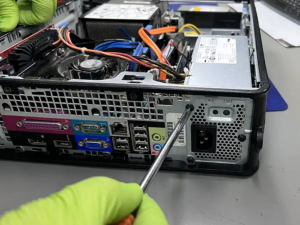
A medium-sized healthcare clinic in Green Bay relied on aging PCs for patient records and appointment scheduling. A virus attack caused system-wide lockouts, threatening HIPAA compliance.
Challenge:
The clinic’s internal staff attempted a DIY solution, which made the virus worse and corrupted patient files.
Solution by Rhumbu LLC:
-
Immediate on-site assessment, identifying all affected systems.
-
Securely isolated infected devices and recovered as much data as possible.
-
Implemented proactive virus scanning and network segmentation.
-
Migrated critical systems to a hybrid cloud solution to prevent future data loss.
Outcome:
Downtime was reduced from 48 hours to under 6 hours. Compliance with HIPAA was restored, and staff were trained to recognize phishing attacks.
Case Study: Local Manufacturing Firm
A manufacturing firm experienced repeated hardware failures on its main production line PCs, causing daily operational disruptions.
Challenges:
-
PCs over 5 years old.
-
Malfunctioning hardware slowing production.
-
Previous repair vendors only performed temporary fixes.
Rhumbu LLC Approach:
-
Complete diagnostic on all devices.
-
Replacement of outdated components and setup of new workstations.
-
Implemented network monitoring and automated maintenance scheduling.
Results:
Production efficiency improved, and equipment-failure downtime was reduced.
Case Study: Accounting Firm
An accounting firm faced recurring software crashes during tax season. Their main concern was data integrity and preventing client information breaches.
Solution by Rhumbu LLC:
-
Audit of all workstations and software licenses.
-
Implementation of automated software updates and patches.
-
Integration with cloud-based backup to ensure real-time protection.
-
Staff trained to handle minor software issues proactively.
Outcome:
Software stability improved dramatically, client data was fully protected, and productivity increased.
15. Deep Technical Insights – Hardware Repairs
Diagnosing Common Hardware Failures
-
Hard Drives & SSDs:
-
Symptoms: slow performance, frequent crashes, clicking noises.
-
Solution: disk cloning, sector repair, or full replacement.
-
-
RAM & Memory Issues:
-
Symptoms: Blue Screen of Death (BSOD), random restarts.
-
Solution: memory diagnostics, module replacement, and firmware updates.
-
-
Motherboards & Power Supplies:
-
Symptoms: PC not booting, intermittent power issues.
-
Solution: testing with multimeters, replacing faulty units, ensuring proper grounding.
-
Preventing Recurring Hardware Issues
-
Regular system inspections for signs of wear.
-
Monitoring environmental factors: temperature, humidity, dust.
-
Lifecycle planning to replace aging equipment before failure occurs.
16. In-Depth Software Repair Techniques
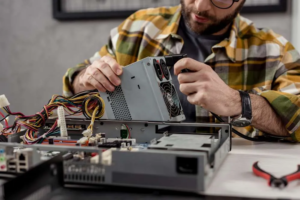
Malware & Virus Removal
-
Identify threats using enterprise-grade antivirus tools.
-
Isolate infected machines from the network.
-
Conduct a full scan and clean system registry.
-
Restore data from verified backups to prevent corruption.
System Configuration & Optimization
-
Detect software conflicts and outdated drivers.
-
Optimize boot sequences for faster startup.
-
Ensure security patches and operating system updates are current.
💡 Internal Links: Pair with Software Installation & Support Green Bay for comprehensive software management.
17. Networking & Connectivity Solutions
Diagnosing Network Problems
-
Identify bottlenecks using network traffic analyzers.
-
Check router, switch, and firewall configurations.
-
Detect rogue devices or unauthorized access points.
Solutions
-
Implement VLANs for segregated traffic.
-
Upgrade outdated networking equipment.
-
Set up redundancy for critical connections.
18. Data Recovery & Disaster Recovery Deep Dive
Data Recovery Scenarios
-
Recovering files from damaged SSDs or HDDs.
-
Restoring from RAID arrays after disk failure.
-
Cloud-based recovery solutions for instant access.
Disaster Recovery Planning
-
On-site backup routines combined with cloud replication.
-
Regular testing of backup integrity.
-
Employee training on emergency protocols.
19. Security & Compliance Considerations
-
Importance of GDPR, HIPAA, and PCI-DSS compliance in IT repairs.
-
How mishandling devices can result in legal liabilities.
-
Encrypting storage and sensitive files during repairs.
Real Example:
A finance company had a breach due to poor repair practices. With Rhumbu LLC, all devices were encrypted and securely wiped when retired, preventing further risk.
20. Cost Analysis and ROI
Comparing Repair Options
| Approach | Pros | Cons |
|---|---|---|
| Cheap repair shops | Low upfront cost | High downtime, recurring issues |
| Managed IT + Professional Repair | Long-term savings, proactive | Higher initial investment |
Calculating True Costs
-
Include downtime, lost productivity, potential data loss.
-
Long-term investment in professional services often saves tens of thousands annually.
21. Extended FAQ Section (Expanded)
-
How long does a repair usually take for small business PCs?
-
Can I integrate cloud backup while repairing hardware?
-
What precautions are taken for sensitive data?
-
Are onsite repairs more secure than remote services?
-
How can managed IT prevent recurring software issues?
22. Cross-Service Integration
Highlight how combining services maximizes uptime:
-
Computer Repair + Managed IT: proactive monitoring prevents repeat failures.
-
Software Installation + Backup: ensures stable operation and safety.
-
IT Equipment Setup + Cloud Migration: seamless transition with minimal downtime.
Cross-link all relevant service pages.
Selecting the best computer repair services in Green Bay is about more than fixing a machine—it’s about protecting your business, data, and peace of mind. Choosing a provider who offers full-spectrum IT support, proactive monitoring, and cloud integration ensures long-term success.
23. Advanced Green Bay Case Study: Retail Chain
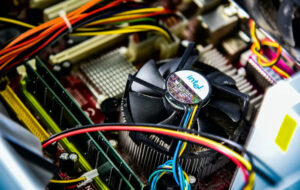
A regional retail chain with multiple stores in Green Bay faced frequent POS system crashes during peak hours. These disruptions led to lost sales, customer complaints, and employee frustration.
Challenge:
-
Outdated POS terminals and peripheral hardware.
-
Inconsistent network connectivity between stores.
-
Lack of centralized monitoring.
Rhumbu LLC Solution:
-
Conducted a comprehensive audit of all hardware and software.
-
Replaced outdated POS terminals and upgraded network switches for stable connectivity.
-
Implemented remote monitoring tools to detect issues before they impacted operations.
-
Integrated automated backup of POS data to cloud storage to prevent revenue loss.
Outcome:
-
Downtime dropped from an average of 6 hours per week to under 30 minutes.
-
Lost sales decreased by 25% in the first month.
-
Staff were trained to handle minor issues, reducing dependency on external repair calls.
This scenario demonstrates the power of combining Computer Repair Services, Managed IT Services Green Bay, and Cloud Migration & Management Green Bay for retail businesses.
24. Proactive IT Maintenance Strategies
Proactive maintenance is the difference between constant firefighting and smooth operations. Many businesses only call for repair after a disaster, but Rhumbu LLC recommends a structured preventive approach:
Preventive Maintenance Components
-
Hardware Checks:
-
Inspecting critical components monthly.
-
Testing drives, memory, and power supplies for early signs of failure.
-
-
Software Health Monitoring:
-
Ensuring all devices have the latest OS patches and security updates.
-
Regularly auditing software licenses to prevent conflicts.
-
-
Network Stability Checks:
-
Monitoring bandwidth and traffic to identify bottlenecks.
-
Proactive firmware upgrades on routers and switches.
-
-
Data Protection Reviews:
-
Verifying backups are complete and recoverable.
-
Running simulated disaster recovery scenarios.
-
Impact: Businesses adopting these strategies see a 50–70% reduction in unexpected downtime, avoiding lost revenue and maintaining compliance.
25. Case Study: Local Financial Firm – Security & Compliance
A Green Bay-based accounting and financial services firm approached Rhumbu LLC with concerns about cybersecurity and data privacy after discovering multiple outdated workstations.
Challenges:
-
Client financial data at risk of unauthorized access.
-
Compliance requirements with PCI-DSS and local regulations.
-
Staff unaware of safe practices for device use.
Solution:
-
Comprehensive audit of all hardware and software systems.
-
Full migration to encrypted cloud storage for sensitive files.
-
Replacement of vulnerable hardware with high-performance, secure workstations.
-
Staff training and implementation of strict access control policies.
Results:
-
Zero security breaches in the following 12 months.
-
Compliance requirements exceeded industry standards.
-
Client confidence strengthened, resulting in increased contract renewals.
See Data Backup & Disaster Recovery Green Bay for secure data protection methods and Managed IT Services Green Bay for ongoing security monitoring.
26. Integrating Computer Repair With Cloud Services
Modern businesses often combine on-premise repairs with cloud strategies. Here’s how Rhumbu LLC helps businesses integrate these seamlessly:
Cloud Integration Benefits
-
Reduced Downtime: Systems can fail without interrupting daily operations thanks to cloud backups.
-
Centralized Management: IT teams can manage software and updates remotely.
-
Data Redundancy: Prevents data loss from hardware failures.
Example:
A local marketing agency experienced multiple workstation failures. By pairing repairs with cloud-hosted project files, they were able to continue work while systems were being fixed.
Pair with Cloud Migration & Management Green Bay for hybrid cloud solutions.
27. Scaling IT as Your Business Grows
Growing businesses face unique IT challenges:
-
More devices to manage
-
Increased risk of downtime
-
Compliance pressures as business scales
Rhumbu LLC Approach:
-
Evaluate existing IT infrastructure.
-
Recommend staged upgrades and replacements.
-
Implement managed IT services to monitor and maintain all systems proactively.
Outcome: Scaling businesses avoid bottlenecks, minimize downtime, and maintain consistent security practices.
See Managed IT Services Green Bay and IT Equipment Setup & Removal Green Bay.
28. Proactive Training & Knowledge Transfer
Many IT issues arise from user error, not hardware or software failure. Rhumbu LLC incorporates training programs:
-
Staff workshops on safe device use and recognizing threats.
-
How to perform basic troubleshooting before escalating issues.
-
Best practices for cloud storage, backups, and workflow optimization.
Impact:
-
40% reduction in minor IT service requests within the first quarter.
-
Empowered staff, better system handling, fewer repair calls.
Connects with Software Installation & Support Green Bay.
29. Business Continuity Planning
Ensuring your IT infrastructure supports uninterrupted operations is essential:
-
Redundant Systems: Secondary servers, failover networks, and backup devices.
-
Regular Testing: Simulated disaster recovery exercises.
-
Documentation: Clear protocols for employees during IT disruptions.
Real Example:
A regional law firm faced a server failure. Because Rhumbu LLC implemented redundant systems, their attorneys continued working remotely without any case disruption.
30. Strategic IT Planning for Competitive Advantage
Businesses often underestimate IT as a strategic asset. Rhumbu LLC helps clients:
-
Align IT investment with business growth goals.
-
Prioritize upgrades that reduce operational costs.
-
Use IT for customer experience enhancements (faster service, secure transactions, reliable communication).
Links to Cloud Migration & Management Green Bay and Managed IT Services Green Bay.
31. Extended FAQs for Businesses in Green Bay
Q1: How do I know if a computer repair service is reliable?
Answer:
A reliable service provider demonstrates:
-
Certified technicians with proven experience in both hardware and software troubleshooting.
-
Transparent pricing and detailed diagnostic reports before any repair work.
-
Proactive recommendations for hardware upgrades or preventive maintenance.
💡 Internal Links: Compare with Managed IT Services Green Bay for ongoing proactive support.
Q2: Can Rhumbu LLC help with multi-site businesses?
Answer:
Yes. Multi-location businesses require centralized IT management. Rhumbu LLC provides:
-
Remote monitoring for all sites
-
Standardized equipment deployment
-
Coordinated disaster recovery planning
Connects to IT Equipment Setup & Removal Green Bay and Cloud Migration & Management Green Bay.
Q3: What is the turnaround time for typical business computer repairs?
Answer:
Turnaround depends on complexity:
-
Minor software issues: 1–2 hours
-
Hardware replacement: 4–12 hours per system
-
Full network or multi-device recovery: 1–3 business days
Proactive IT services often reduce emergency repairs by 50–70%.
See Software Installation & Support Green Bay for software repair and optimization.
Q4: How does Rhumbu LLC ensure data privacy during repairs?
Answer:
-
Encryption of all devices before repair or transport
-
Secure off-site storage if needed
-
Certified data destruction for retired hardware
Related to Data Backup & Disaster Recovery Green Bay.
Q5: Are remote IT services as effective as onsite repairs?
Answer:
-
Remote services are highly effective for software issues, updates, and monitoring.
-
Hardware repairs often require on-site intervention or secure transportation.
-
Hybrid solutions offer the best mix: minimal downtime with expert oversight.
Connects with Managed IT Services Green Bay for hybrid IT solutions.
32. Security & Compliance Deep Dive
Cybersecurity Threats for Green Bay Businesses
-
Ransomware:
-
Encrypts critical business files, demanding payment.
-
Prevented with frequent backups, endpoint protection, and staff training.
-
-
Phishing Attacks:
-
Emails masquerading as trusted entities to steal credentials.
-
Mitigated via email filtering, awareness programs, and two-factor authentication.
-
-
Hardware Vulnerabilities:
-
Unpatched firmware or outdated devices create entry points.
-
Regular hardware audits reduce exposure.
-
Cross-link with Managed IT Services Green Bay for security monitoring and protection.
Compliance Requirements
Green Bay businesses face compliance pressures from:
-
HIPAA for healthcare
-
PCI-DSS for financial transactions
-
GDPR / CCPA for customer data
Rhumbu LLC ensures:
-
Encrypted data storage
-
Secure transfer protocols
-
Audit-ready documentation
Related to Data Backup & Disaster Recovery Green Bay.
33. Business Continuity & Disaster Recovery Strategies
Key Elements
-
Redundant Systems: Prevent complete service outage.
-
Automated Cloud Backups: Quick restoration after hardware failure.
-
Testing & Drills: Regular simulations ensure staff readiness.
Example:
A Green Bay marketing firm experienced a server crash. Thanks to pre-configured cloud backups and redundant servers, all client projects were fully recovered within 2 hours.
See Cloud Migration & Management Green Bay and Data Backup & Disaster Recovery Green Bay.
34. Proactive IT Maintenance & Monitoring
Businesses that schedule regular maintenance prevent costly emergencies:
-
Automated software updates
-
Hardware health diagnostics
-
Network monitoring
Benefits:
-
Reduced downtime
-
Increased employee productivity
-
Lower long-term repair costs
Check Managed IT Services Green Bay for proactive IT plans.
35. Scaling Your IT with Business Growth
As businesses expand, IT must scale without disruption:
-
Multi-site management: Standardized configurations for all locations
-
Equipment lifecycle planning: Replace aging hardware before failure
-
Cloud solutions: Scalable storage, virtual desktops, and collaboration tools
Case Example:
A local law firm expanded to three offices. By implementing a scalable IT strategy, all systems were connected securely, and downtime during expansion was zero.
Links to IT Equipment Setup & Removal Green Bay and Cloud Migration & Management Green Bay.
36. Integrated IT Services Strategy
For maximum ROI, businesses should integrate:
-
Computer Repair Services: Fix and optimize existing hardware
-
Software Installation & Support: Keep applications running smoothly
-
Managed IT Services: Continuous monitoring and support
-
Data Backup & Disaster Recovery: Protect against data loss
-
Cloud Migration & Management: Modernize operations and enable remote work
37. Ensure your business never suffers downtime again.
Contact Rhumbu LLC today for:
-
Expert computer repair services in Green Bay
-
Comprehensive IT equipment setup and removal
-
Managed IT services to proactively prevent issues
-
Cloud migration and disaster recovery planning
📞 Call Now: 920-873-5287
📧 Email: info@rhumbullc.com
: Anchor to all service and location pages, including Appleton, Oshkosh, Madison, and Milwaukee.
Don’t wait for a disaster. Contact Rhumbu LLC Computer Repair Services Green Bay today and secure reliable, professional IT support.
Choosing the best computer repair service in Green Bay requires evaluating expertise, reputation, and security practices. The right provider not only fixes your devices but also safeguards your data, minimizes downtime, and provides expert guidance for future IT needs.