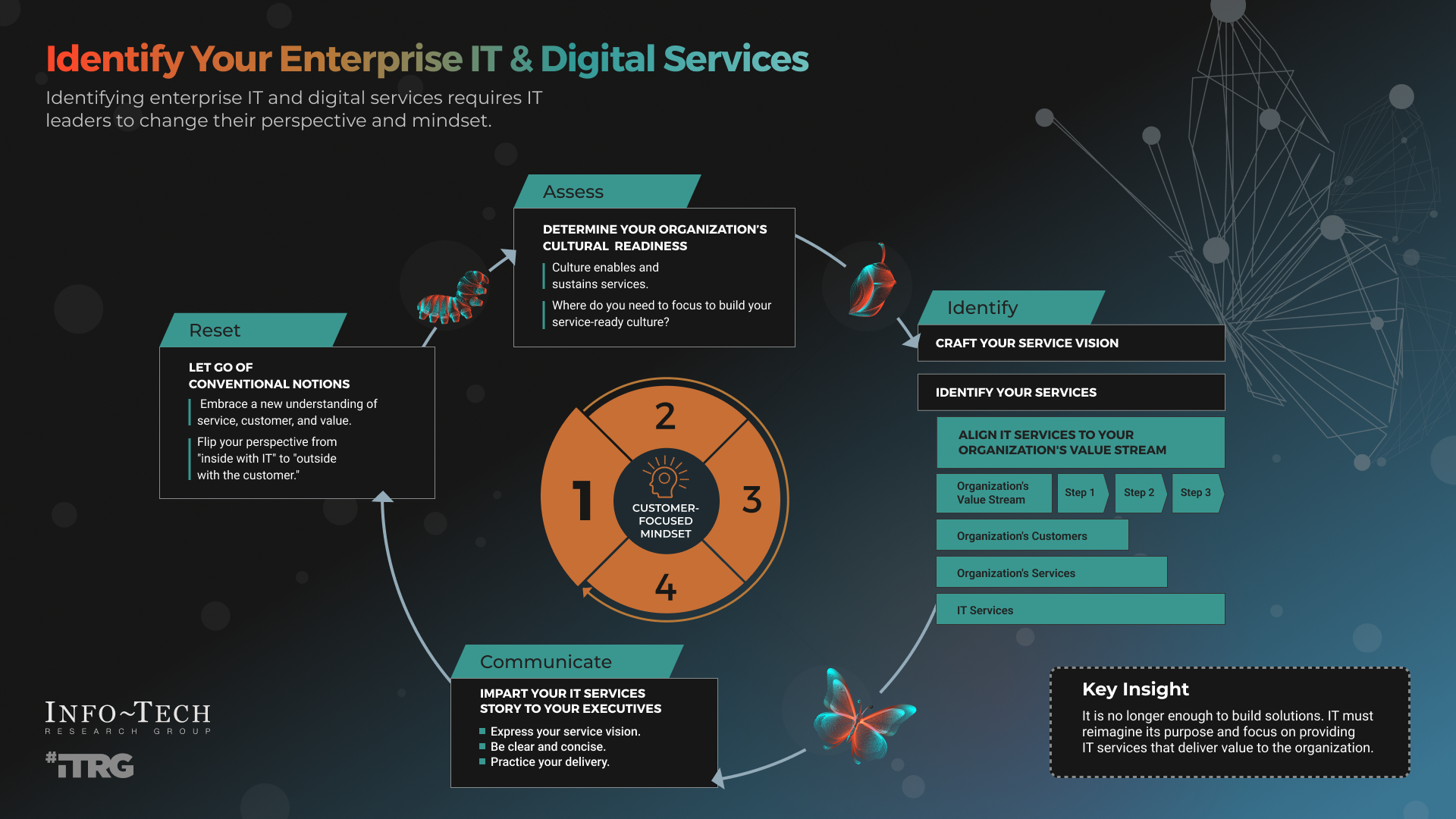
Technology touches almost every part of a modern business, yet many owners struggle to clearly define what IT services actually include. Without a clear definition, it becomes difficult to budget, choose the right provider, or know whether your technology is truly supporting your business.
Defining IT services isn’t about technical jargon. It’s about understanding how technology keeps your business running, protects your data, and helps your team work efficiently.
This guide explains how to define IT services in practical terms so you can make informed decisions with confidence.
What Are IT Services?
IT services are the professional activities that support, manage, and protect a company’s technology systems. These services ensure that computers, networks, software, and data work together reliably and securely.
At a high level, IT services exist to:
-
Keep systems operational
-
Reduce downtime and disruptions
-
Protect sensitive business data
-
Support employees with technology
-
Enable business growth
Modern IT services are proactive, not reactive. Instead of waiting for systems to fail, they focus on prevention, monitoring, and long-term planning.
The Core Components of IT Services
To define IT services clearly, it helps to break them into functional areas. Most business IT services fall into the following categories.
IT Support and Technical Assistance
IT support covers everyday technology issues that affect productivity. This includes troubleshooting computers, resolving software errors, fixing email problems, and helping users access systems.
Support can be delivered remotely or on-site, depending on the situation. A strong IT service definition includes response times, support hours, and escalation procedures.
Managed IT Services
Managed IT services provide continuous oversight of systems. Rather than addressing problems one at a time, managed services include monitoring, maintenance, updates, and performance optimization.
This approach helps prevent downtime, improves reliability, and allows businesses to plan technology costs more accurately.
Network and Infrastructure Management
Networks connect employees, systems, and cloud services. Network management ensures that routers, switches, firewalls, and wireless access points are properly configured and monitored.
A well-managed network improves speed, security, and stability while reducing unexpected outages.
Cybersecurity Services
Security is a critical part of any IT service definition. Cybersecurity services protect businesses from threats such as malware, ransomware, phishing, and unauthorized access.
These services often include:
-
Firewall management
-
Endpoint protection
-
Email security
-
User access controls
-
Security awareness training
Without cybersecurity, IT services are incomplete.
Cloud and Software Services
Many businesses rely on cloud platforms for email, file storage, collaboration, and applications. IT services include selecting, configuring, and maintaining these tools.
Cloud services improve flexibility and scalability while reducing dependence on physical hardware.
Data Backup and Disaster Recovery
Data loss can be devastating. Backup and disaster recovery services ensure that business data can be restored after hardware failure, cyberattacks, or human error.
A complete IT service definition includes how often data is backed up, where it is stored, and how quickly systems can be restored.
How to Define IT Services for Your Business
Defining IT services isn’t one-size-fits-all. Each business has unique requirements based on size, industry, and operations.
Step 1: Understand How Technology Is Used
Start by identifying how employees rely on technology daily. Consider devices, software, remote access needs, and customer-facing systems.
Step 2: Identify Risk and Compliance Requirements
Businesses handling financial data, personal information, or regulated data require stronger security and compliance controls.
Step 3: Determine Support Expectations
Define how quickly issues should be resolved and whether support is needed outside normal business hours.
Step 4: Plan for Growth
IT services should support future expansion, new employees, and evolving technology needs without constant rework.
Step 5: Decide on In-House vs. Outsourced IT
Some organizations maintain internal IT staff, while others outsource IT services to specialized providers. Outsourcing often provides broader expertise and predictable costs.
Why Clearly Defined IT Services Matter
When IT services are clearly defined, businesses benefit from:
-
Fewer technical surprises
-
Improved system reliability
-
Better budgeting and cost control
-
Stronger security
-
Increased employee productivity
Clear definitions also help businesses evaluate IT providers and avoid paying for unnecessary or overlapping services.
Common Mistakes When Defining IT Services
-
Focusing only on break-fix support
-
Ignoring cybersecurity
-
Underestimating backup and recovery needs
-
Failing to document responsibilities
-
Not planning for scalability
Avoiding these mistakes leads to stronger, more resilient IT operations.
How to Define IT Services for Businesses in Green Bay, WI
For many businesses in Green Bay, Wisconsin, IT services remain unclear until something breaks. A computer stops working, email goes down, or a security concern appears—and suddenly technology becomes urgent. The problem isn’t just the issue itself; it’s that IT services were never clearly defined in the first place.
Defining IT services helps Green Bay businesses gain control over their technology, reduce downtime, strengthen security, and plan for growth. This guide explains what IT services really include and how local businesses should approach them.
Why Clearly Defined IT Services Matter for Green Bay Businesses
Local businesses rely on technology more than ever. From cloud software and email to customer data and remote access, even a short disruption can impact operations and revenue.
When IT services are clearly defined, businesses experience:
-
Fewer unexpected outages
-
Faster support response times
-
Improved cybersecurity protection
-
Predictable technology costs
-
Better long-term planning
Clear definitions turn IT from a constant frustration into a reliable business asset.
What IT Services Include (Pillar Overview)
This section acts as the hub of your IT content and links directly to your service pages and supporting blogs.
Managed IT Services
Managed IT services provide continuous monitoring, maintenance, system updates, and performance optimization. Instead of reacting to problems, systems are proactively managed to prevent disruptions.
IT Support and Help Desk Services
IT support focuses on helping employees resolve everyday technical issues such as software errors, email problems, slow computers, and access issues.
Computer Repair and Device Support
Hardware failures still happen. Local computer repair services help minimize downtime and protect data when workstations, laptops, or peripherals fail.
Network Management and Infrastructure
Networks connect devices, cloud platforms, and communication tools. Network management ensures routers, switches, Wi-Fi systems, and firewalls are properly configured and monitored.
Cybersecurity Services
Cybersecurity is a critical part of defining IT services. Small and mid-sized businesses in Green Bay are frequent targets of phishing, ransomware, and data breaches.
Security services include:
-
Firewall configuration
-
Endpoint protection
-
Email security
-
Access controls
-
Security awareness training
Cloud IT Solutions
Cloud services allow teams to work securely from anywhere while improving collaboration and scalability. IT services include cloud setup, migration, and ongoing management.
Data Backup and Disaster Recovery
Data loss can disrupt operations overnight. Backup and disaster recovery services ensure business data can be restored quickly after cyber incidents, hardware failure, or accidental deletion.
How Green Bay Businesses Should Define Their IT Needs
Understand How Your Team Works
Identify how employees use technology daily, including remote access, shared files, and business software.
Identify Critical Systems
Determine which systems cannot afford downtime, such as accounting, customer data, or communication platforms.
Build Security Into Every Layer
Cybersecurity should be included in every IT decision, not added after a problem occurs.
Plan for Growth
Your IT services should scale easily as your business grows, hires employees, or expands locations.
Decide on Outsourced IT Services
Many Green Bay businesses choose outsourced IT services to access expert support without the cost of in-house
Many Green Bay businesses choose outsourced IT services to access expert support without the cost of in-house staff.
Serving Green Bay and Surrounding Communities
Local IT services often extend beyond city limits. Businesses in nearby areas benefit from the same proactive support and fast response times.
Final Thoughts
Defining IT services is about clarity and control. For Green Bay businesses, clear IT service definitions lead to stronger security, fewer disruptions, and better use of technology. When IT services are aligned with real business needs, technology becomes a tool for growth rather than a source of stress.
What Businesses Really Need to Know
For many business owners, IT services feel vague until something breaks. A computer won’t start. Files disappear. Email goes down. Suddenly, IT becomes urgent—but still poorly defined. The truth is, IT services shouldn’t be reactive or confusing. When clearly defined, they become one of the most powerful tools a business can use to stay productive, secure, and competitive.
Defining IT services means understanding how technology supports your business behind the scenes—and how the right structure prevents small problems from becoming costly disruptions.
Why Defining IT Services Matters More Than You Think
Technology is no longer limited to a back office or server room. It affects how employees work, how customers are served, and how data is protected. Without a clear definition of IT services, businesses often end up paying for help only after problems occur—or worse, discovering gaps after a security incident.
A well-defined IT service strategy gives you:
-
Fewer interruptions to daily work
-
Clear expectations of what support includes
-
Stronger data protection
-
Better long-term planning
-
Confidence in your technology decisions
What IT Services Actually Include
IT services are not just “fixing computers.” They cover the full lifecycle of business technology—from setup to security to ongoing management.
Day-to-Day IT Support
This is the most visible part of IT services. It includes helping employees with technical issues like slow computers, software errors, login problems, email failures, and printer issues.
Good IT support is responsive, easy to reach, and focused on getting people back to work quickly.
Proactive IT Management
Many businesses only think about IT when something breaks. Proactive IT management changes that. Systems are monitored continuously, updates are applied automatically, and potential problems are addressed before they impact operations.
This approach reduces downtime and prevents surprises.
Network and Connectivity Management
Your network is the backbone of your business. IT services ensure that internet connections, Wi-Fi, firewalls, and internal systems work reliably and securely.
A poorly managed network leads to slow performance, security vulnerabilities, and frustrated employees.
Cybersecurity and Risk Protection
Cyber threats are no longer limited to large corporations. Small and mid-sized businesses are common targets. IT services must include security measures that protect against malware, phishing, ransomware, and unauthorized access.
Security is not a single tool—it’s an ongoing process that includes monitoring, updates, and employee awareness.
Cloud and Software Oversight
Modern businesses rely heavily on cloud platforms for email, file storage, collaboration, and business applications. IT services include managing these tools, ensuring proper access, and keeping data secure.
Cloud services make businesses more flexible, but only when configured correctly.
Data Backup and Business Continuity
Data loss can happen from hardware failure, cyberattacks, or simple human error. IT services ensure that important information is backed up and can be restored quickly.
Business continuity planning ensures that operations can continue even after unexpected events.
How to Define IT Services for Your Business
Every business is different, which means IT services should be defined based on real needs—not generic packages.
Start With How Your Team Works
Look at how employees use technology daily. Consider remote access, shared files, customer systems, and specialized software. This reveals where support and protection are most critical.
Identify What Cannot Go Down
Some systems are mission-critical. Email, accounting software, customer databases, or point-of-sale systems often fall into this category. IT services should prioritize these systems.
Factor in Security and Compliance
If your business handles sensitive information, security must be built into every layer of IT services. Waiting until after a breach is too late.
Plan Beyond Today
Defining IT services is not just about current needs. Growth, new hires, new locations, and evolving technology should all be considered.
Decide Who Owns What
Clear definitions prevent confusion. Who handles updates? Who responds to emergencies? Who monitors security? These responsibilities should be documented and agreed upon.
Common Misunderstandings About IT Services
Many businesses fall into these traps:
-
Assuming antivirus software alone is “security”
-
Believing backups are working without verification
-
Relying on outdated hardware
-
Waiting until something breaks to call for help
A clear IT service definition prevents these issues before they cause damage.
The Bigger Picture: IT as a Business Asset
When IT services are properly defined, technology becomes an advantage rather than a liability. Systems run smoother. Employees work more efficiently. Risks are reduced. Decision-making becomes easier.
Instead of reacting to problems, businesses gain control over their technology.
Final Thoughts
Defining IT services is about clarity. It’s about knowing what your technology does, how it’s protected, and who is responsible for keeping it running. Businesses that take the time to define IT services properly experience fewer disruptions, stronger security, and greater confidence in their operations.
Technology should support your business—not distract from it.
FAQ: IT Services in Green Bay, WI
What are IT services for small businesses?
IT services include managed IT services, IT support, cybersecurity, cloud solutions, network management, and data backup.
What is the difference between IT support and managed IT services?
IT support addresses issues as they occur, while managed IT services proactively monitor and maintain systems to prevent problems.
How much do IT services cost in Green Bay?
Costs vary based on business size and service scope. Many providers offer flat monthly pricing.
Can IT services improve cybersecurity?
Yes. Professional IT services reduce risk through monitoring, secure configurations, and employee training.
Should small businesses outsource IT services?
Many small businesses outsource IT to gain expert support, predictable costs, and stronger security.