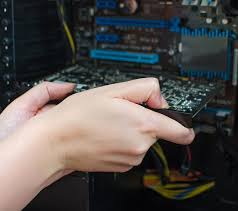
IT Equipment Setup, Relocation, and Removal for Businesses
Business technology projects involve more than moving computers. Workstations, servers, networks, phones, printers, and specialized systems may share configurations and connections. They may also depend on business applications and security controls. Poor planning can interrupt work or put data at risk.
This guide explains how Green Bay and Wisconsin businesses can plan equipment setup, office relocation, and removal. The examples are illustrative planning scenarios. They are not documented Rhumbu LLC projects or measured outcomes.
Understanding IT Equipment Setup and Relocation
IT equipment setup prepares devices for use in a business environment. Depending on the project, it may include workstation installation, network configuration, server rack planning, and printer or phone setup. It can also include software installation, access testing, and user handoff.
Relocation adds planning for the move itself. Before disconnecting equipment, identify each asset and its connections. Also record which applications and business processes depend on it. Then decide what must be ready when the new site opens.
Equipment removal needs its own controls. First, identify devices that store business data. Next, confirm whether information must be retained or transferred. Finally, document the approved sanitization, reuse, recycling, or destruction process.
Plan Before Disconnecting Equipment
- Build an asset inventory. Record each device, serial number, owner or department, location, destination, and business purpose.
- Map dependencies. Document network ports, switches, wireless access points, servers, printers, phones, and specialized equipment.
- Protect business data. Confirm required backups have completed. Also make sure recovery procedures are understood before moving servers or storage.
- Set the move sequence. Identify systems that must move first. Then list equipment that can be staged and services that must remain available.
- Label and secure equipment. Use consistent labels. Protect cables and components during packing, transport, and storage.
- Schedule validation. Assign responsibility for reconnecting and testing systems. Include network access, applications, printing, phones, backups, and user sign-in.
Cloud applications and remote access belong in the test plan, too. A workstation may power on but still lack the right permissions or network routes. It may also need updated application settings or security controls.
Industry Considerations for IT Moves
Healthcare
Healthcare environments may rely on electronic health records, medical devices, imaging systems, secure networks, and access controls. Therefore, identify system owners and vendor dependencies before the move. Confirm data-protection requirements and required tests before staff resume work. Coordinate applicable HIPAA obligations with the organization’s compliance and privacy leads.
Finance and professional services
These offices should plan for secure handling of computers, servers, storage devices, client records, and authentication systems. Before equipment leaves the premises, confirm encryption and backup status. Also review access permissions and secure transport arrangements.
Retail and point-of-sale environments
Retail moves may involve registers, payment terminals, inventory systems, wireless networks, phones, and servers. Include payment processing and inventory checks in the reopening checklist. In addition, coordinate testing with software, payment, and equipment vendors.
Education
Schools and training facilities may need to prepare classroom computers, projectors, wireless access, identity systems, printers, and learning platforms. Schedule the work around the academic calendar. Then test representative classrooms before handing the environment back to staff.
Manufacturing
Manufacturing sites may rely on industrial PCs, programmable logic controllers, production monitoring, inventory systems, and specialized networks. Coordinate with equipment vendors and operations staff before changing connections or moving control-related equipment. These systems should not be treated like ordinary office workstations.
Illustrative Relocation Scenarios
Office move: A professional-services firm plans to move workstations, shared storage, printers, and network equipment. The team inventories devices and confirms backups. It then labels connections and tests user access and printing at the new site.
Clinic equipment change: A healthcare practice replaces network equipment while moving selected workstations. The team coordinates with application vendors and confirms data protection. Before staff return, it validates access to clinical systems.
Retail technology refresh: A store installs updated point-of-sale equipment during a planned move. The checklist covers payment connectivity and inventory synchronization. It also checks user permissions and issue escalation before opening.
These scenarios illustrate planning considerations only. They do not describe completed Rhumbu LLC projects or verified financial results. Actual timelines depend on the site, equipment, vendors, dependencies, and readiness of the new environment.
Equipment Removal and Secure Decommissioning
Before retiring equipment, determine whether it contains business, employee, customer, or regulated data. Then identify the required action for each device. Options may include data transfer, sanitization, physical destruction, lease return, resale, or recycling.
Keep an inventory of removed devices. Also retain appropriate records of their disposition. If a third party sanitizes or destroys data, request documentation that identifies the equipment and work completed. Do not release storage devices until the organization approves the data-handling process.
How to Reduce Disruption During an IT Project
- Set a project owner. Define responsibilities for the business, IT provider, building management, and outside vendors.
- Check the destination site. Confirm power, cooling, cabling, internet, rack space, and physical security.
- Back up critical systems. Verify that recovery information is available before the move.
- Schedule high-risk changes carefully. Use an approved maintenance window and communicate expected interruptions.
- Test employee systems. Check sign-in, shared files, applications, printing, phones, remote access, and payment processing where applicable.
- Prepare an escalation plan. Decide what happens if a system fails validation.
- Obtain business sign-off. The project owner should approve the completed work.
For related planning, review Data Backup & Disaster Recovery, Software Installation & IT Support, and VoIP & Unified Communications.
Frequently Asked Questions
What is included in business IT equipment setup?
Scope depends on the project. It may include device installation, cabling, network connections, software configuration, printer and phone setup, access testing, and user handoff. Confirm the deliverables in the project estimate.
How long does an IT equipment relocation take?
There is no reliable universal timeframe. The schedule depends on device count, site readiness, network and application dependencies, vendor availability, backups, and testing. Ask for a project schedule with milestones and planned service interruptions.
How should a business prepare servers before a move?
Inventory the equipment and dependencies first. Then confirm backups and document network and power connections. Agree on a shutdown and startup sequence. Finally, identify who will validate applications and data after reconnection.
What should happen to old computers and storage devices?
Identify data that must be retained, transferred, sanitized, or destroyed. Document the approved method. Keep records required by company policy or regulation.
Can Rhumbu LLC help with equipment setup and relocation?
Rhumbu LLC offers IT equipment setup and removal services for businesses. Confirm project scope, availability, scheduling, and pricing based on the equipment, location, and business requirements.
Discuss Your IT Equipment Project
Planning an office move, equipment installation, technology refresh, or hardware removal? Contact Rhumbu LLC to discuss the requirements. You can also request an IT project quote. Include your location, timeline, and a summary of the systems involved.
Editorial note: The industry examples are illustrative scenarios. They are not documented customer engagements, verified outcomes, or guaranteed service levels.