

What Is Managed IT Services? A Clear, Real-World Guide for Growing Businesses

Most businesses don’t realize they need managed IT services until something breaks.
An email server goes down on a Monday morning. Files won’t open. The internet is slow. A ransomware warning pops up. Suddenly, everyone is asking the same question:
“Who is handling our IT?”
If that question doesn’t have a clear answer, you’re not alone—and that’s exactly why managed IT services exist.
This guide explains what managed IT services are, how they differ from traditional IT support, real examples of how they work, and why businesses in Green Bay and Appleton, Wisconsin are increasingly relying on Managed Service Providers (MSPs) like Rhumbu LLC to keep their operations running smoothly.
Before we go deeper, let’s answer the most common question people search for.
What Is Meant by Managed IT Services?
Managed IT services mean outsourcing the ongoing management, monitoring, and support of your technology to a dedicated IT provider—called a Managed Service Provider (MSP)—for a predictable monthly fee.
Instead of calling an IT technician only when something breaks, managed IT services are proactive. Your systems are monitored, updated, secured, and maintained continuously.
In simple terms:
-
Traditional IT = break/fix
-
Managed IT services = prevention, protection, and planning
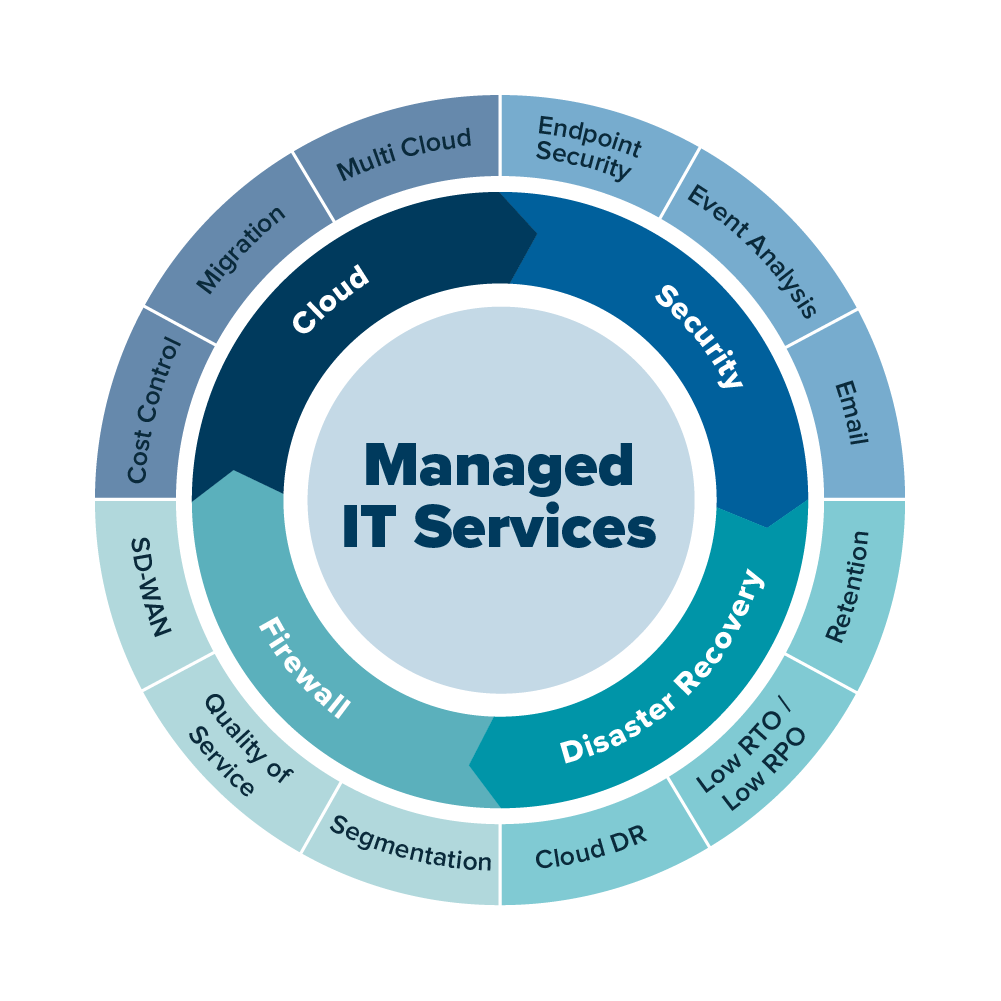
Managed IT services typically include:
-
24/7 system monitoring
-
Managed IT support services
-
Cybersecurity protection
-
Data backup and disaster recovery
-
Cloud and email management
-
Help desk support for employees

A Quick Story: Why Managed IT Services Matter
One Green Bay business owner came to Rhumbu LLC after experiencing repeated network outages. Each time something went wrong, they called a different IT technician. Some fixed the issue temporarily. Others blamed the internet provider. Nothing was consistent.
After switching to managed IT services for small businesses, the outages stopped. Why?
Because instead of reacting to problems, the systems were:
-
Monitored continuously
-
Updated on schedule
-
Backed up automatically
-
Secured against threats
That’s the difference between having IT help and having IT managed.
What Is the Difference Between IT Services and Managed Services?
This is one of the most misunderstood topics.
Traditional IT Services
-
Paid per hour or per incident
-
Reactive (only fix issues after they occur)
-
No long-term strategy
-
No ongoing monitoring
Managed IT Services
-
Flat monthly pricing
-
Proactive system monitoring
-
Ongoing security and updates
-
Strategic IT planning
If you’ve ever wondered “Which company is best for IT services?”, the real answer depends on whether they offer managed services or just one-time fixes.
What Are Examples of Managed IT Services?
Managed IT services can look different depending on the business, but common examples include:
-
Managed IT support services (help desk + on-site support)
-
Network and firewall management
-
Microsoft 365 and cloud services management
-
Endpoint protection and cybersecurity
-
Automated data backups and recovery testing
-
Patch management and system updates
-
Vendor coordination (internet, phone, software)
These are not one-time tasks—they’re ongoing responsibilities handled by an MSP.
Types of Managed IT Services Businesses Use Most
Here are the most common types of managed IT services businesses rely on today:
-
Fully Managed IT Services – Complete IT outsourcing
-
Managed Security Services – Cybersecurity-first approach
-
Managed Cloud Services – Cloud-based systems and apps
-
Co-Managed IT Services – Internal IT + MSP partnership
Most small businesses in Wisconsin choose fully managed IT services because it’s cost-effective and removes internal IT headaches.
What Is Managed IT Services MSP?
An MSP (Managed Service Provider) is the company responsible for delivering managed IT services.
Instead of hiring:
-
A full-time IT employee
-
Multiple outside vendors
You partner with one MSP that handles everything—from daily support to long-term planning.
For businesses searching “managed IT services near me”, working with a local MSP matters. Local providers understand regional infrastructure, internet providers, compliance requirements, and can respond on-site when needed.
Managed IT Services Near Green Bay, WI and Appleton, WI
Businesses searching:
-
What is managed IT services near Green Bay, WI
-
What is managed IT services near Appleton, WI
are usually looking for local, responsive IT support, not a national call center.
Local managed IT services provide:
-
Faster on-site response
-
Personalized support
-
Familiarity with local networks and providers
-
Long-term relationships
Rhumbu LLC supports businesses throughout Green Bay, Appleton, De Pere, Ashwaubenon, and Howard, offering managed IT services tailored to local small and mid-sized organizations.
What Are the Benefits of Managed IT Services?
The benefits go beyond fixing computers.
Key Benefits Include:
-
Predictable monthly IT costs
-
Reduced downtime
-
Stronger cybersecurity
-
Data protection and recovery
-
Scalable IT as your business grows
-
Peace of mind
Instead of wondering “Who do we call when something breaks?”, you already know.
Which Industry Needs IT Services the Most?
Nearly every industry depends on IT, but the most IT-reliant industries include:
-
Healthcare
-
Professional services
-
Manufacturing
-
Financial services
-
Retail and eCommerce
-
Construction
Even businesses that don’t see themselves as “tech-driven” rely heavily on secure systems, email, data, and internet connectivity.
People Also Ask: Are Apple Services the Same as Managed IT Services?
This is where confusion often starts.
What is Apple Services charging me for?
Apple charges for device-related services like AppleCare+, iCloud storage, and app subscriptions.
Apple does not provide:
-
Business network management
-
Cybersecurity strategy
-
Employee IT support
-
Backup and disaster recovery planning
Apple support is device-focused. Managed IT services are business-focused.
Frequently Asked Questions About Managed IT Services
What is managed IT services for small businesses?
Managed IT services provide ongoing IT support, security, and system management for small businesses at a fixed monthly cost.
What are managed IT services examples?
Examples include network monitoring, cybersecurity, cloud management, backups, and help desk support.
Is managed IT services expensive?
Managed IT services often cost less than hiring in-house IT staff and reduce costly downtime.
Which company is best for IT services?
The best IT company is one that offers proactive managed services, local support, and understands your business needs.
What is managed IT support services?
Managed IT support services include help desk support, system maintenance, updates, and proactive troubleshooting.
So, Is Managed IT Services Right for Your Business?
Here’s the real question:
Do you want to react to IT problems—or prevent them altogether?
If your business relies on technology to operate, managed IT services aren’t a luxury anymore—they’re a foundation.
Ready to Simplify Your IT?
If you’re looking for:
-
Managed IT services near Green Bay, WI
-
Managed IT services near Appleton, WI
-
A reliable MSP that understands small businesses
Rhumbu LLC provides managed IT services designed to keep your systems secure, stable, and scalable.
📞 Call 920-873-5287
🌐 Visit rhumbullc.com
📍 Serving Green Bay, Appleton, De Pere, Ashwaubenon, and Howard
Let’s make your IT work for you—not against you.
-
managed IT services in Green Bay
-
managed IT support services
-
IT support for small businesses
-
outsourced IT services
-
cybersecurity services for businesses
-
cloud IT services
-
data backup and disaster recovery
-
IT services in Green Bay, WI
-
IT services in Appleton, WI
-
IT services in De Pere, WI
-
IT services in Ashwaubenon, WI