

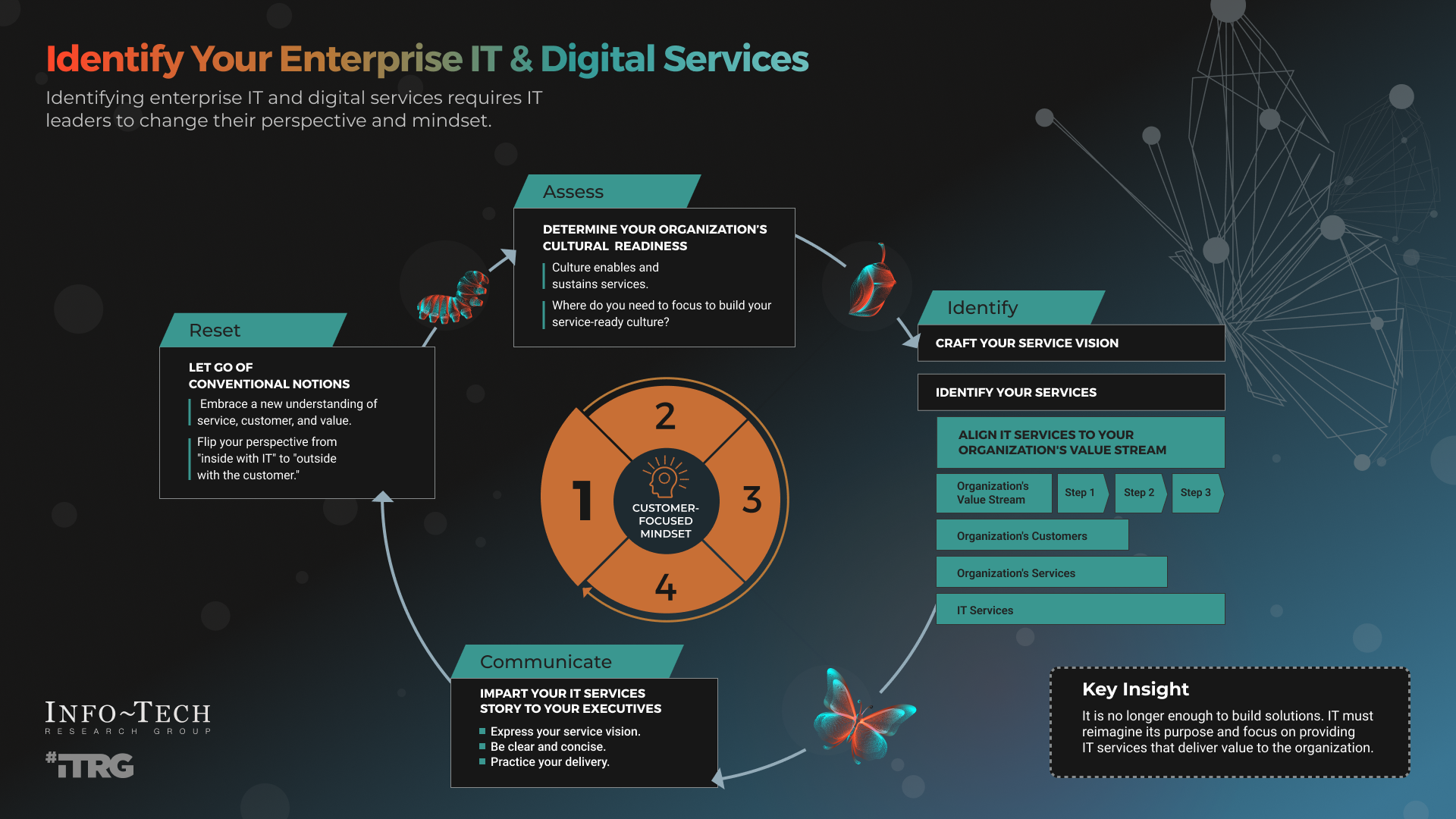
How to Define IT Services: A Practical Guide for Modern Businesses
Information Technology (IT) services play a critical role in how businesses operate, grow, and protect their data. Yet many organizations struggle to clearly define what IT services actually include, how they differ, and which services they truly need. Understanding how to define IT services is the first step toward making smarter technology decisions that support long-term business goals.
This guide breaks down IT services in a clear, practical way so business owners, managers, and decision-makers can confidently evaluate their technology needs.
What Are IT Services?
IT services refer to the professional support, management, and optimization of technology systems used by an organization. These services are designed to ensure that computers, networks, software, and data systems operate reliably, securely, and efficiently.
At their core, IT services exist to:
-
Keep systems running smoothly
-
Protect business data
-
Support employees with technical issues
-
Enable business growth through technology
Rather than focusing only on fixing problems, modern IT services emphasize proactive management, security, and strategic planning.
Core Categories of IT Services
Defining IT services starts with understanding their main categories. While offerings vary by provider, most IT services fall into the following areas.
1. IT Support and Help Desk Services
IT support focuses on resolving day-to-day technical issues that employees encounter. This includes troubleshooting hardware problems, software errors, email issues, and connectivity problems.
Help desk services can be provided remotely, on-site, or through a combination of both. The goal is to minimize downtime and keep employees productive.
2. Managed IT Services
Managed IT services go beyond reactive support. Instead of waiting for something to break, a managed service provider continuously monitors systems, performs maintenance, applies updates, and prevents problems before they disrupt operations.
Managed IT services often include:
-
System monitoring
-
Patch management
-
Regular maintenance
-
Performance optimization
This approach provides predictable costs and reduces unexpected outages.
3. Network Management
Network management ensures that a company’s internal and external connections are reliable and secure. This includes managing routers, switches, firewalls, and wireless networks.
A well-managed network improves performance, supports remote work, and reduces the risk of security breaches caused by misconfigured equipment.
4. Cybersecurity Services
Cybersecurity is one of the most critical components of modern IT services. As cyber threats continue to evolve, businesses need protection that goes beyond basic antivirus software.
Cybersecurity services may include:
-
Firewall configuration
-
Malware and ransomware protection
-
Email security
-
Data encryption
-
Security awareness training
Defining IT services without including cybersecurity leaves a major gap in protection.
5. Cloud Services
Cloud services allow businesses to store data, run applications, and collaborate online without relying solely on on-premises servers. These services improve flexibility and scalability.
Examples of cloud services include:
-
Cloud storage and backups
-
Cloud-based email and collaboration tools
-
Hybrid and multi-cloud environments
Cloud services are often integrated with managed IT and security services for a complete solution.
6. Data Backup and Disaster Recovery
IT services also include protecting business data from loss due to hardware failure, cyberattacks, or natural disasters.
Backup and disaster recovery services ensure that data can be restored quickly and operations can resume with minimal disruption. This is especially important for compliance, customer trust, and business continuity.
How Businesses Should Define Their IT Service Needs
Defining IT services isn’t just about listing technical tasks—it’s about aligning technology with business goals. Here’s how businesses can approach this process.
Identify Operational Requirements
Start by evaluating how technology is used daily. Consider:
-
Number of employees and devices
-
Remote or hybrid work needs
-
Industry-specific software requirements
This helps determine the level of support and infrastructure required.
Assess Risk and Security Needs
Every business faces cybersecurity risks, but the level of exposure varies. Businesses handling sensitive data, financial information, or regulated data require stronger security controls.
Defining IT services should always include a clear security strategy.
Plan for Growth and Scalability
IT services should support where the business is going, not just where it is today. Scalable services allow systems to grow without major disruptions or costly overhauls.
Decide Between In-House and Outsourced IT
Some organizations maintain internal IT staff, while others outsource IT services to specialized providers. Outsourcing often provides access to broader expertise, faster response times, and predictable costs.
Defining IT services includes deciding which responsibilities stay in-house and which are handled externally.
Why Clear IT Service Definitions Matter
When IT services are clearly defined, businesses benefit in several ways:
-
Improved budgeting with predictable IT costs
-
Reduced downtime through proactive management
-
Stronger security posture against cyber threats
-
Better decision-making around technology investments
-
Improved employee productivity
A clear definition also improves communication between business leaders and IT professionals, ensuring expectations are aligned.
The Evolution of IT Services
IT services have evolved from basic break-fix support into strategic business solutions. Today, IT providers act as technology partners, helping businesses plan, secure, and optimize their systems.
Modern IT services focus on:
-
Prevention instead of reaction
-
Business continuity and resilience
-
Security-first design
-
Long-term technology planning
Understanding this shift helps businesses choose services that deliver lasting value.
How to Define IT Services for Businesses in Green Bay, WI
For businesses in Green Bay, Wisconsin, understanding how to define IT services is no longer optional. From cybersecurity threats to remote work demands, technology plays a direct role in daily operations, customer trust, and long-term growth. Yet many small and mid-sized businesses struggle to clearly define what IT services include and how those services should support their goals.
This guide explains IT services in practical terms, with a focus on what local Green Bay businesses actually need to stay competitive, secure, and efficient.
What Are IT Services?
IT services refer to the professional management, support, and protection of business technology systems. This includes computers, networks, servers, cloud platforms, software, and data security.
For Green Bay businesses, IT services are designed to:
-
Reduce downtime and productivity loss
-
Protect business and customer data
-
Support local compliance and security needs
-
Enable growth without constant technical disruptions
Rather than reacting to problems, modern IT services focus on prevention, performance, and long-term stability.
Core IT Services Every Green Bay Business Should Understand
IT Support and Help Desk Services
IT support for small businesses covers everyday technical issues such as computer errors, email problems, software crashes, and connectivity issues. Local businesses benefit from having both remote and on-site support available, especially when operations cannot afford delays.
Managed IT Services
Managed IT services provide ongoing monitoring, maintenance, and system management. Instead of waiting for failures, systems are proactively maintained to prevent disruptions.
This approach is especially valuable for Green Bay companies that want predictable IT costs and fewer emergency repairs.
Network Management
Reliable networking is essential for office connectivity, cloud access, and secure communications. Network management ensures routers, switches, firewalls, and Wi-Fi systems are configured correctly and monitored continuously.
Cybersecurity Services
Cybersecurity is a critical part of defining IT services today. Small businesses in Green Bay are increasingly targeted by ransomware, phishing, and data breaches.
Cybersecurity services include:
-
Firewalls and endpoint protection
-
Email and phishing protection
-
Secure remote access
-
Employee security awareness training
Cloud Services and Remote Work Solutions
Cloud services allow businesses to securely access data and applications from anywhere. This supports hybrid work, collaboration, and scalability without relying on outdated on-premise systems.
Data Backup and Disaster Recovery
Data loss can shut down a business overnight. Backup and disaster recovery services ensure business data can be restored quickly after hardware failures, cyberattacks, or natural events.
How Green Bay Businesses Should Define Their IT Needs
Evaluate Daily Operations
Consider how many employees, devices, and systems are used daily. Businesses with remote staff or customer-facing systems need stronger IT support structures.
Identify Security Risks
Any business handling customer data, payment information, or confidential records needs a layered security approach. Cybersecurity should never be optional.
Plan for Growth
Defining IT services should account for future expansion, new locations, and increased staffing without rebuilding infrastructure.
Decide on Outsourced IT Services
Many Green Bay businesses choose outsourced IT services to gain access to specialized expertise, faster response times, and consistent support without the cost of internal IT staff.
Why Clearly Defined IT Services Matter
When IT services are clearly defined, businesses experience:
-
Fewer system outages
-
Stronger cybersecurity posture
-
Better budgeting and cost control
-
Higher employee productivity
-
Improved customer trust
Clear IT definitions also make it easier to choose the right IT provider and avoid unnecessary services.
Final Thoughts
Defining IT services is about aligning technology with real business needs. For Green Bay businesses, the right IT services provide stability, security, and scalability in an increasingly digital environment. Whether you rely on internal staff or an outsourced IT partner, clear service definitions help ensure technology works for your business—not against it.
FAQ: IT Services for Green Bay Businesses
What are IT services for small businesses?
IT services include technical support, managed IT services, cybersecurity, cloud solutions, and data backup that keep business systems running securely and efficiently.
What is the difference between IT support and managed IT services?
IT support is reactive and fixes problems as they occur. Managed IT services are proactive and prevent issues through monitoring and maintenance.
How much do IT services cost in Green Bay?
Costs vary based on business size, service scope, and security needs. Many providers offer predictable monthly pricing through managed service plans.
Can IT services improve cybersecurity?
Yes. Professional IT services implement layered security, monitoring, and training to reduce cyber risks.
Should small businesses outsource IT services?
Outsourcing IT services gives small businesses access to expert support, advanced tools, and predictable costs without hiring internal staff.